
Overview
Here I'm writing up what I studied to add SEO to my blog and what I actually applied to it.
What is SEO?
SEO stands for Search Engine Optimization. You could describe it as the process of understanding what search users are looking for and creating web page content that matches that intent.
It's also a methodology for increasing traffic by improving semantic tags and structure, so that a page shows up higher in search results.
The SEO Process
To understand the SEO process, you first need to know how a search engine decides the quality of a website.
Search engines work in 3 stages. (Based on Google)
1. Crawling
- Automated programs called crawlers download text, images, and videos from pages they find on the internet.
2. Indexing
- The text, image, and video files on the page are analyzed, and the information is stored in the index.
3. Serving results
- Information related to the search query is returned and shown to the user.
Let's take a closer look at crawling and indexing.
Crawling
Search engines constantly look for new and updated pages and add them to their list of known pages. This process is called URL discovery. Pages that have been visited before are already on the list of known pages. Other pages are discovered by following links from known pages to new pages. Some pages are also discovered when the site owner submits a sitemap.
Indexing
Once a page has been crawled, the search engine tries to figure out what it's about.
This stage is called indexing, and it involves processing and analyzing the core content, tags, and attributes, such as title and alt.
Why SEO Matters
When we get curious about something, we type the keywords into a search engine like Google or Naver.
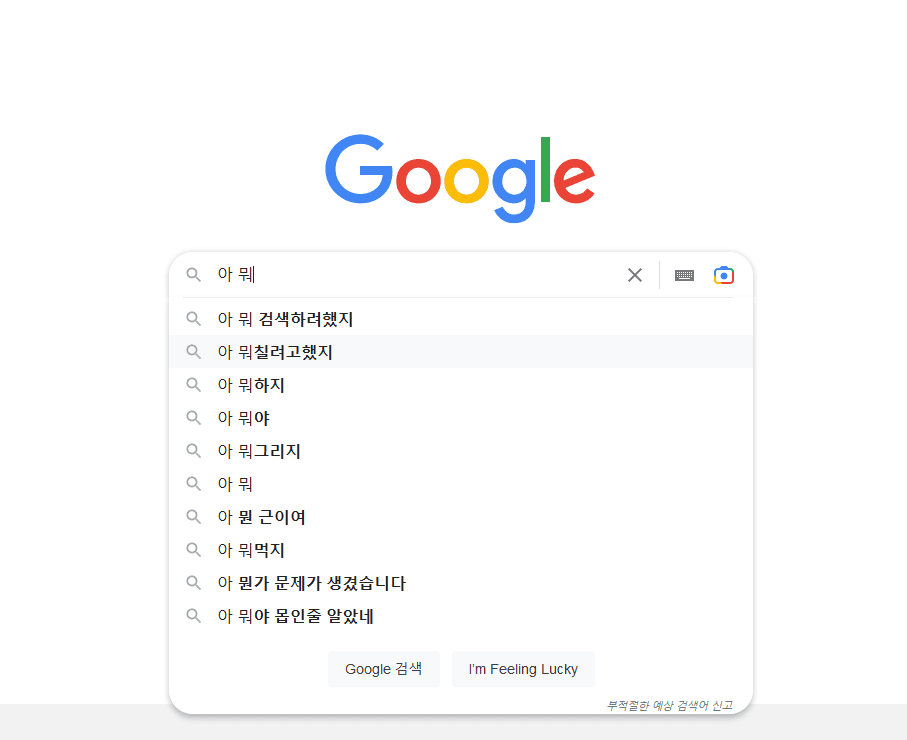
Most people click on and read the pages that show up at the top of the results. You can of course buy traffic with ads (paid search), but most people prefer results that earn their traffic naturally (organic search). If you do SEO well, you can keep your pages near the top of search results without spending any money.
In other words, no matter how good a site's content is, if its SEO is poor, there's a good chance it won't show up in search results.
Meta Tags
Meta tags are HTML tags used to give search engines extra information about a page. A meta tag is added inside the HTML <head> tag.
It provides metadata such as what the HTML document is about, its keywords, and who made it.
Starting with version 13.2, Next supports built-in generation of metadata for SEO.
You can use metadata in any page.tsx or layout.tsx.
✨
charsetandviewportare applied by default even if you don't set them!
<meta charset="utf-8" />
<meta name="viewport" content="width=device-width, initial-scale=1" />
With Next, there are two ways to generate metadata.
- Static Metadata
This is the way to generate metadata statically: inside the page, you declare metadata and export it as a metadata object.
If you use the template property here, the title changes for each page you visit.
import type { Metadata } from "next";

export const metadata: Metadata = {
  title: {
    default: "Yujiseok",
    template: "%s | Yujiseok", // 방문하는 페이지 별 타이틀 변경
  },
  description: "공부하는 것을 기록하고 공유하는 유지석의 개인 기술 블로그",
  icons: {
    shortcut: "/favicon.ico",
  },
  openGraph: {
    title: {
      absolute: "유지석",
    },
    description: "공부하는 것을 기록하고 공유하는 유지석의 개인 기술 블로그",
    url: "https://www.yujiseok.blog/",
    locale: "ko_KR",
    type: "website",
  },
};- Dynamic Metadata
This is what you use when you need to pick up dynamic values, as with dynamic routing like [slug].
You generate the metadata dynamically by using the generateMetadata function to fetch the data.
On my blog, the pages that need dynamically generated metadata are the individual post pages. To generate the metadata, I first need the slug.
The slugs are generated individually with the generateStaticParams function.
I use the find method to look up the post that matches the slug.
Then I pull the data out of the post I found and return it in the format the metadata expects.
export async function generateStaticParams() {
  return allPosts.map((post) => ({
    slug: post.slug,
  }));
}

export async function generateMetadata({
  params,
}: {
  params: { slug: string };
}): Promise<Metadata | undefined> {
  const post = allPosts.find((post) => post.slug === params.slug);
  if (!post) {
    return;
  }
  const {
    title,
    publishedAt: publishedTime,
    summary: description,
    slug,
  } = post;

  return {
    title,
    description,
    openGraph: {
      title: { absolute: title },
      description,
      type: "article",
      publishedTime,
      url: `https://www.yujiseok.blog/post/${slug}`,
    },
  };
}
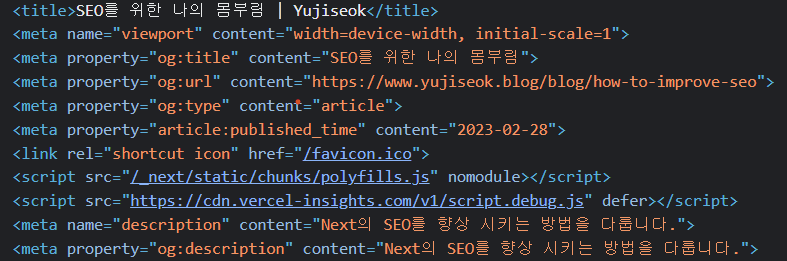
✨ openGraph is a tag that supports content previews when you share a link on social media or messengers.
After going through the steps above, Next generates the metadata for you.
Sitemap
A sitemap is a file that gives information about the pages, videos, and other files on your site, and the relationships between them. Search engines like Google can use a sitemap to crawl your site more efficiently.
If your site's pages are properly linked, search engines can find most of your site just fine. But a sitemap can improve crawling efficiency for large sites or for specialized files.
Sitemaps are really meant for large sites, but I wanted to try implementing dynamic sitemap generation, so I decided to build one myself.
The code below is the most basic xml sitemap.
<?xml version="1.0" encoding="UTF-8"?>
<urlset xmlns="http://www.sitemaps.org/schemas/sitemap/0.9">
  <url>
    <loc>https://www.example.com</loc>
    <lastmod>2023-02-28</lastmod>
  </url>
</urlset>
Here's what each tag means.
- urlset: Encapsulates the file and references the current protocol standard.
- url: The parent tag for each url entry.
- loc: The url of the page.
- lastmod: The date the file was last modified.
Besides these tags, there are optional tags such as changefreq and priorty.
🚨 The generation method below is a legacy approach. Next now provides built-in APIs for generating a sitemap and robots.txt. You can see how to implement it with the built-in APIs in this post.
To generate the sitemap, I bring in node's fs module.
Using the current working directory path, I read the content folder where the mdx files live.
I loop over all the files with the map method and strip the .mdx extension with the replace method.
I put the slugs returned this way into postUrls using a template literal.
Then I add postUrls to the xml tag code, again with a template literal, and write the file into the public path.
import fs from "fs";

const getDate = new Date().toISOString();

function createSiteMap() {
  const path = process.cwd();

  const allPosts = fs.readdirSync(`${path}/content`);
  const slugs = allPosts.map((post) => post.replace(".mdx", ""));

  const postUrls = slugs
    .map(
      (slug) => `<url>
        <loc>https://www.yujiseok.blog/post/${slug}</loc>
        <lastmod>${getDate}</lastmod>
      </url>`
    )
    .join("");

  const generatedSitemap = `<?xml version="1.0" encoding="UTF-8"?>
    <urlset
      xmlns="http://www.sitemaps.org/schemas/sitemap/0.9"
      xmlns:xsi="http://www.w3.org/2001/XMLSchema-instance"
      xsi:schemaLocation="http://www.sitemaps.org/schemas/sitemap/0.9
      http://www.sitemaps.org/schemas/sitemap/0.9/sitemap.xsd"
    >
      <url>
        <loc>https://www.yujiseok.blog/</loc>
      </url>
      <url>
        <loc>https://www.yujiseok.blog/about</loc>
      </url>
      <url>
        <loc>https://www.yujiseok.blog/post</loc>
      </url>
      ${postUrls}
    </urlset> `;

  fs.writeFileSync("public/sitemap.xml", generatedSitemap, "utf-8");
}

createSiteMap();
Right before the build, a script generates the sitemap into the public directory.
  "scripts": {
    // ...
    "sitemap": "ts-node --project tsconfig.node.json ./lib/sitemap.ts",
    "build": "pnpm sitemap && next build",
  }
I register the generated sitemap with Google Search Console.

robots.txt
robots.txt is a .txt file that allows or restricts crawlers from collecting your site and web pages.
I add robots.txt to the public directory along with the sitemap.
User-agent: * ➡️ 모든 크롤러 허용
Allow: / ➡️ 모든 디렉토리 허용
Sitemap: https://yujiseok.blog/sitemap.xml
In Closing
This was a field I'd never really thought about before, but building this blog taught me that SEO is really important and not something to overlook. I'll keep working hard on improving my SEO, for the day my blog shows up at the very top of Google's search results. 🙏